
When you customize graphics in the Title Designer, you can play an object's animations or keyframes through a pause point in the timeline.
Note: The Title Designer and the features described in this article are only available in StretchCast Premium.
- Open a graphic in the Title Designer.
- In the Title Designer, select the animated object in your design that you want to play through a pause point in the timeline.
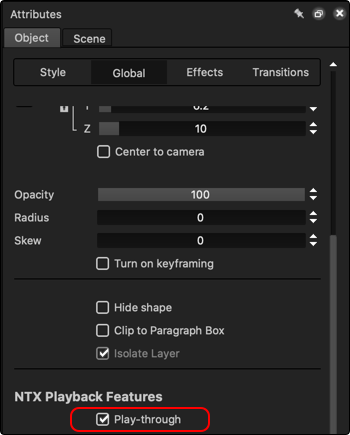
- In the NTX Playback Features section of the Attributes > Object > Global tab, mark the Play-through option.
- Preview the design and make any necessary changes.
- After you finish editing the design, click the Keep changes
 button in the bottom-right corner of the Timeline panel to save the design to your project's current session and close the Title Designer.